
Audit Overview
Your store's untapped revenue potential — and how to unlock it
Why We Created This Audit
We analyzed https://society6.com/ the same way we've audited 350+ e-commerce stores — looking for the specific gaps between your current experience and what top-performing Home & Living stores deliver. Every finding in this report is a revenue opportunity backed by industry data and competitive benchmarks.
What We Analyzed
- UX & Conversion Design16 findings
- Technology & App StackPlatform + 8 apps
- Industry BenchmarksHome & Living
Pages Analyzed
- Homepage4 findings
- Collection Pages4 findings
- Product Pages (PDP)5 findings
- Cart & Checkout3 findings
 This audit was prepared by Growisto — a CRO-led Website development team behind 167% conversion growth for Atomberg, 46% CR lift for TyresNmore, and 350+ e-commerce projects.
UX & Conversion Findings
Page-by-page analysis with visual comparisons against top Home & Living stores
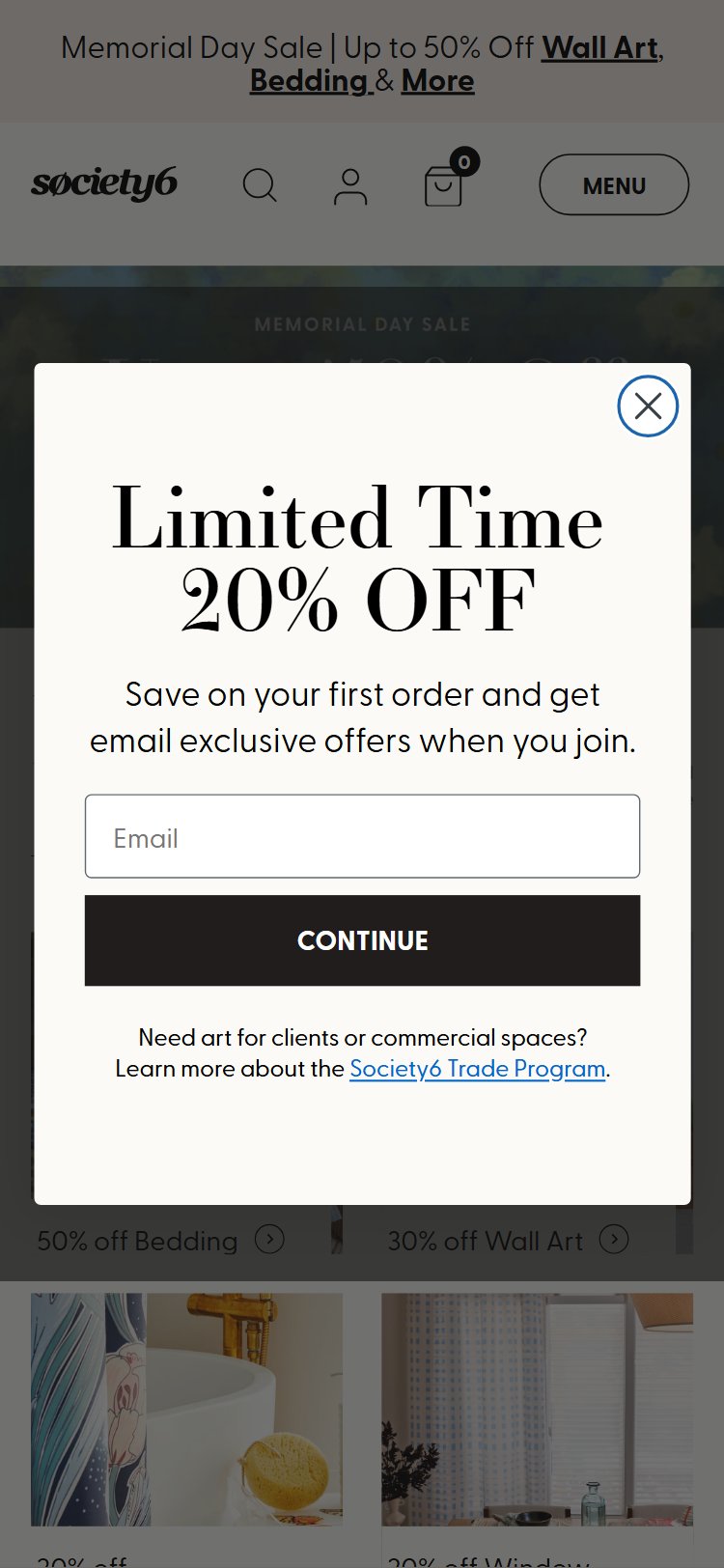
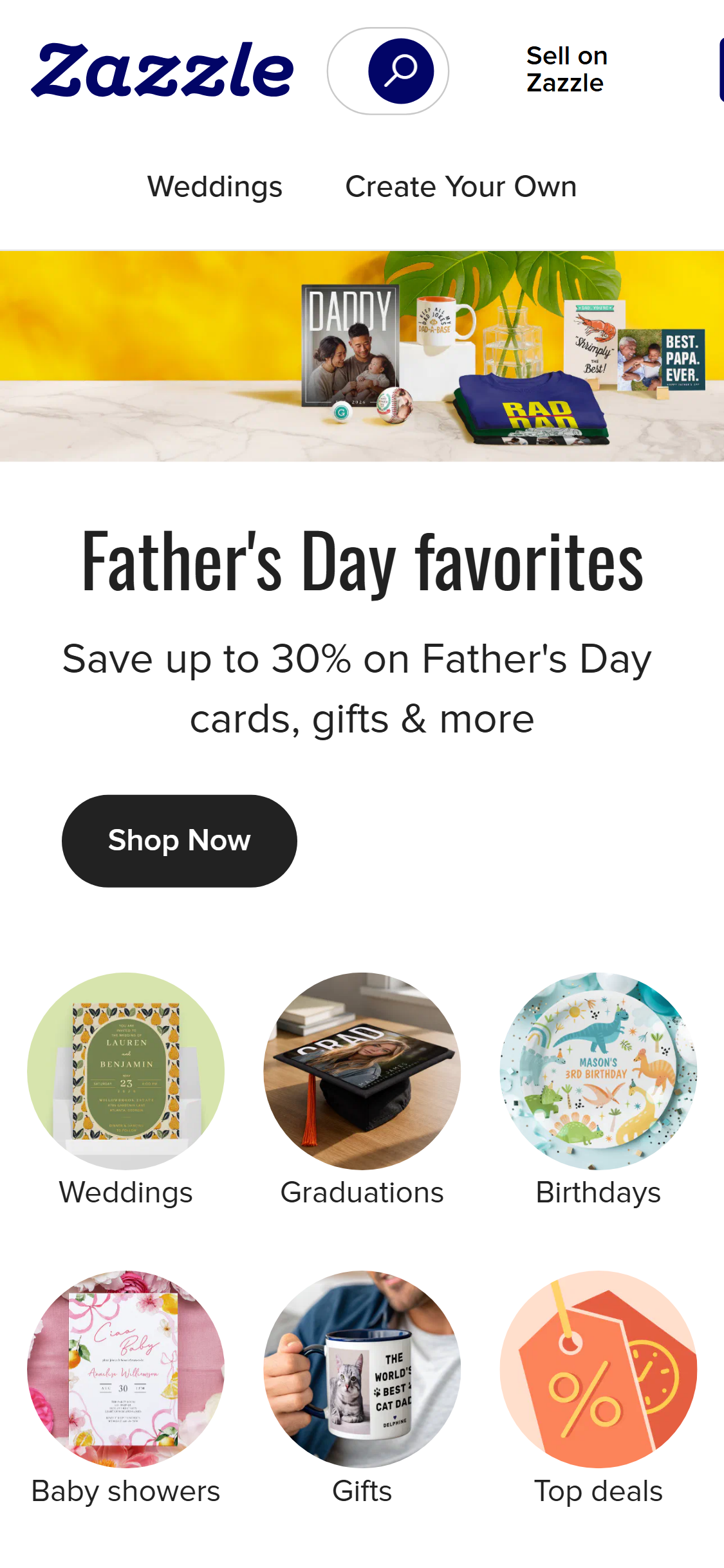
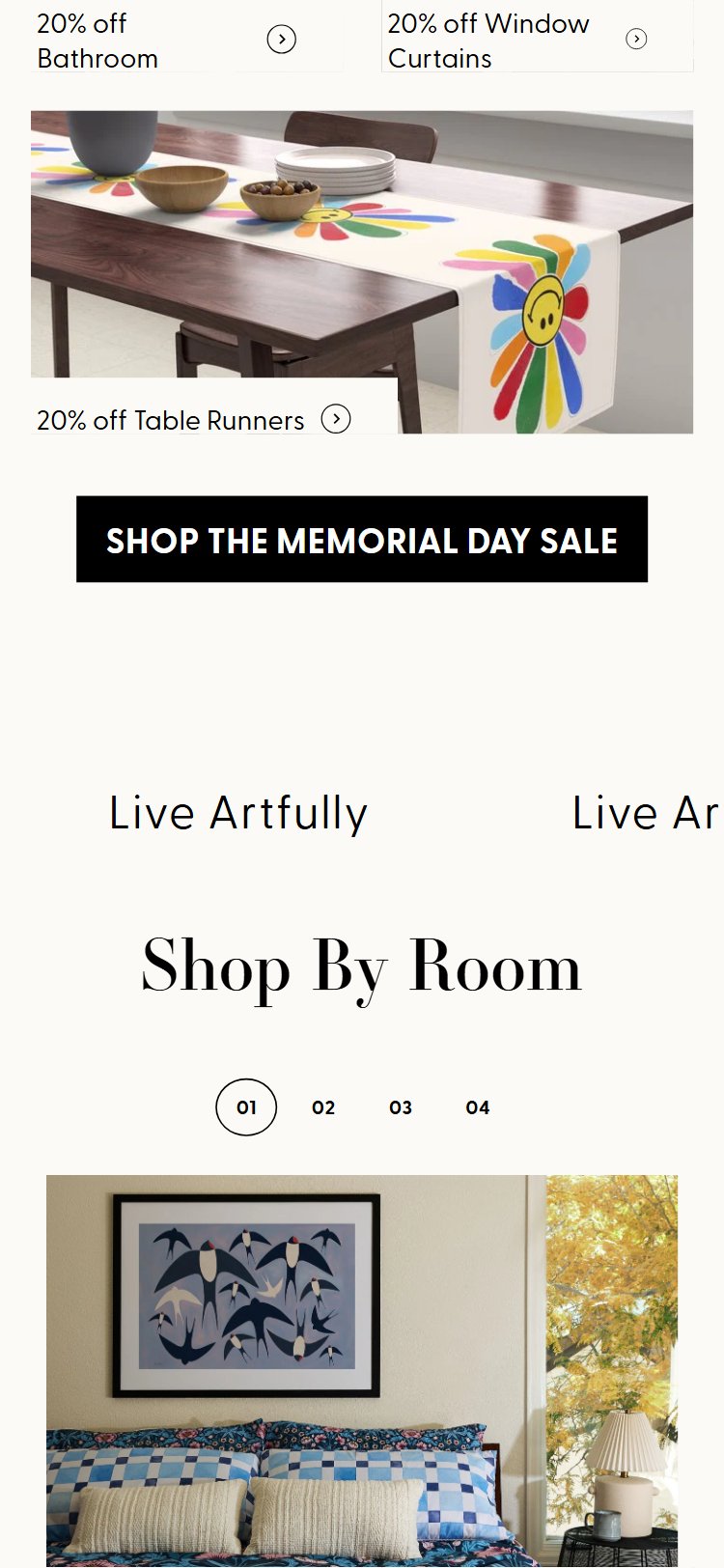
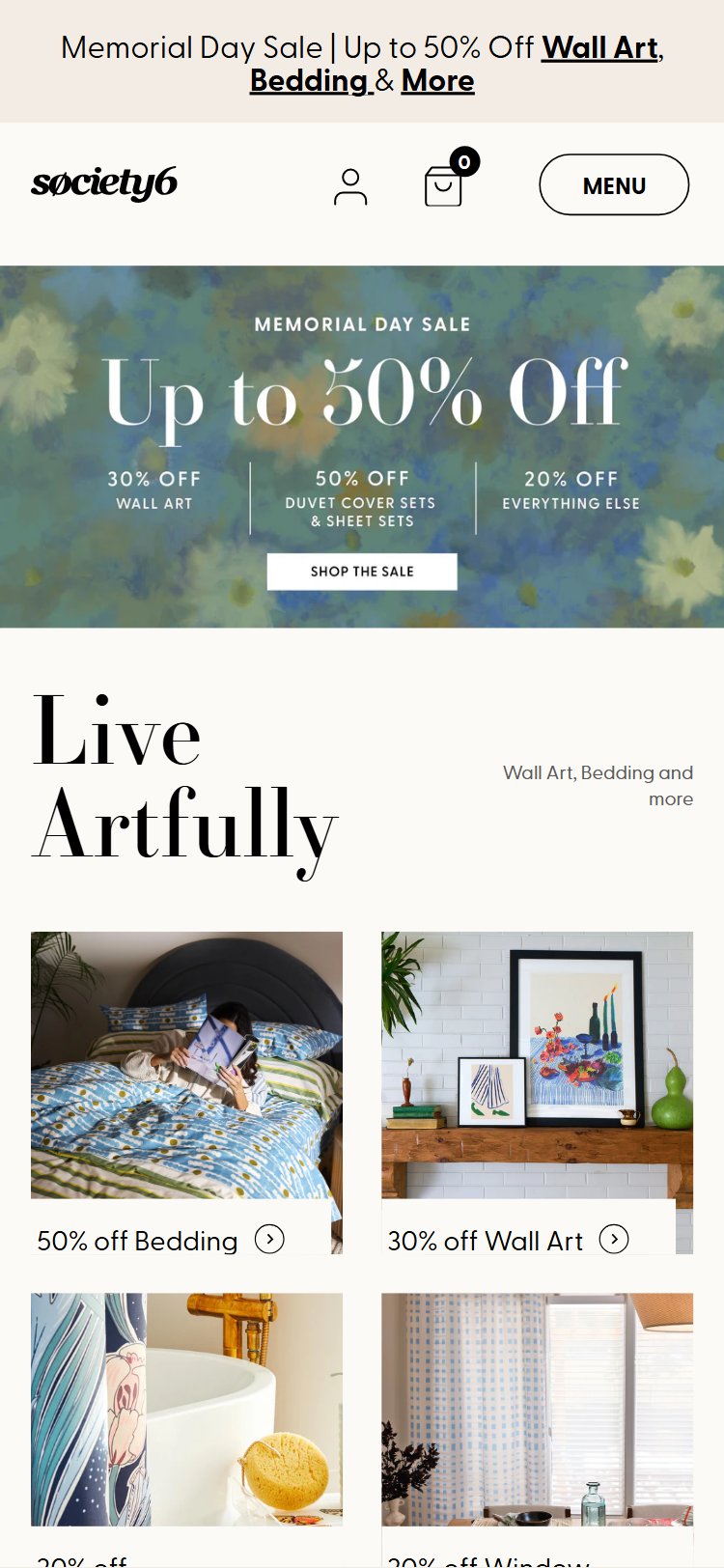
- No announcement bar exists above the header at any scroll position on the homepage
- First-time visitors receive no immediate discount incentive or urgency trigger on landing
- Competitors like Zazzle display a persistent top bar with 'Up to 50% off + free shipping on orders $35+' that is visible site-wide
- Without a visible offer, price-sensitive shoppers comparing multiple art stores have no immediate reason to stay
- The absence also removes a real-estate slot that could promote seasonal sales, artist collaborations, or free shipping thresholds
- Add a sticky announcement bar above the header showing a first-order discount (e.g., '15% off your first order — use WELCOME15') with a dismissible X so it does not feel intrusive
- Rotate the bar message between a discount offer, free shipping threshold, and an artist community hook to serve different visitor intents
- A/B test bar background color against Society6's brand palette — high-contrast bars (dark bg, white text) typically outperform muted tones by 18–25% in CTR
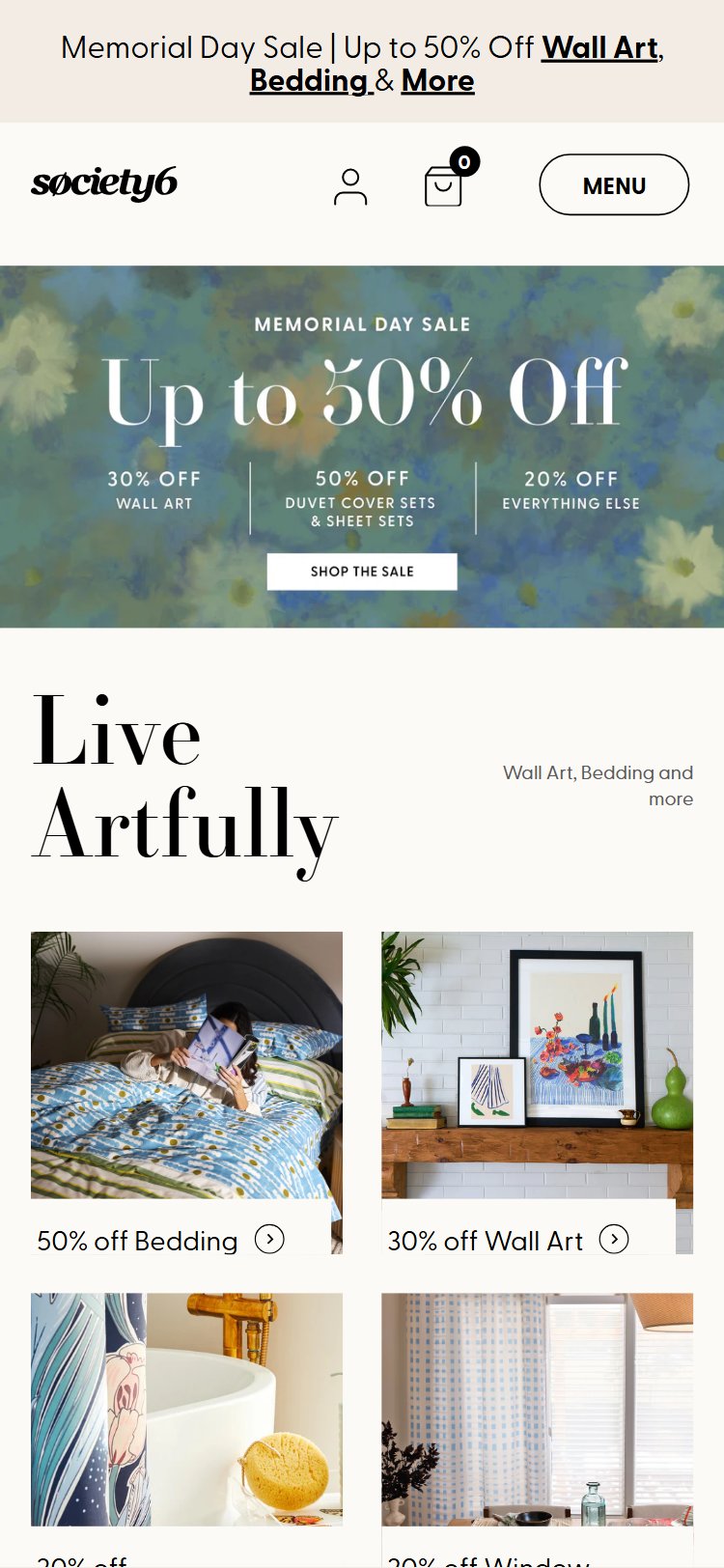
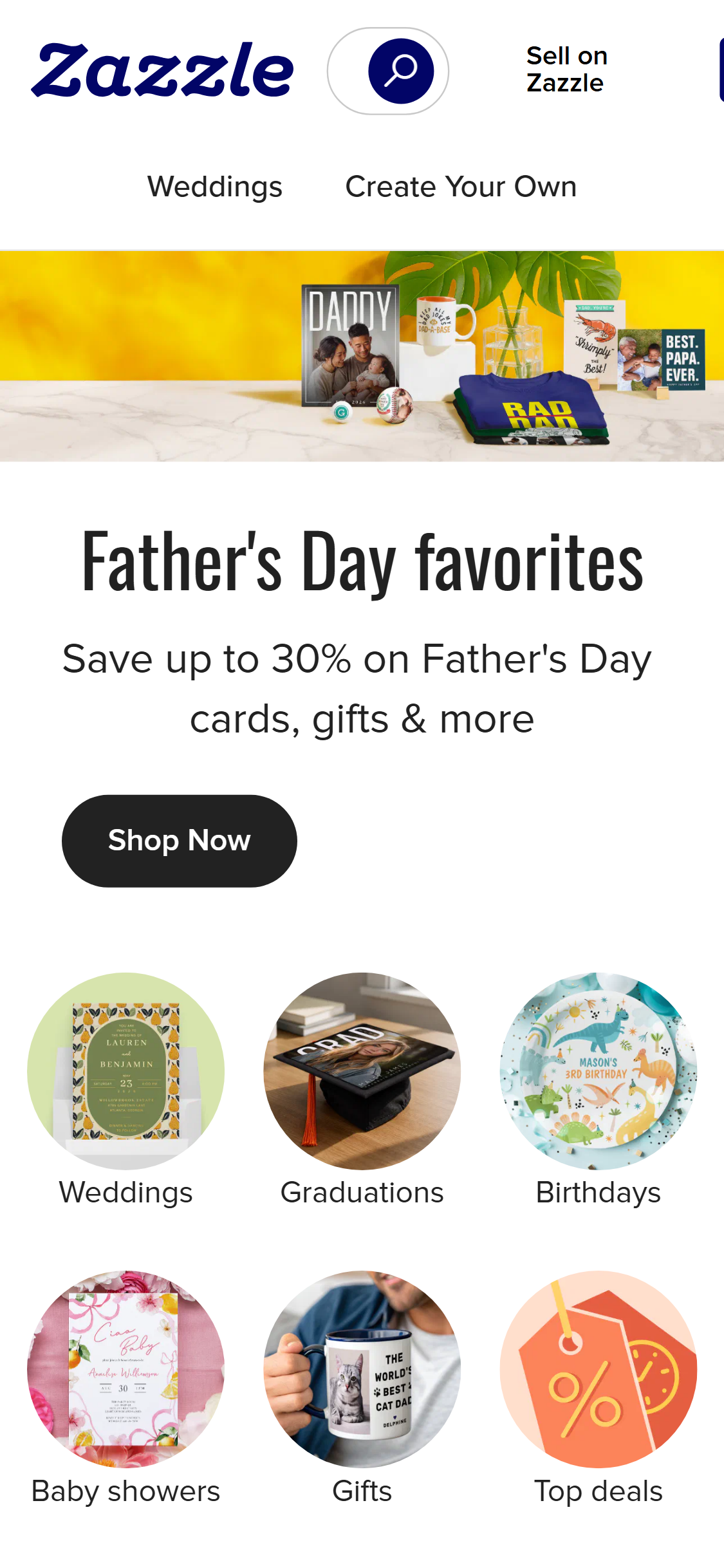
- The current hero CTA reads 'Shop New Arrivals' — a non-differentiating message that could appear on any retail site
- No time-limited element (sale end date, limited edition, seasonal event) is present to create urgency
- Displate's hero dynamically references trending collections and shows a visible discount ('40% off sitewide ends Sunday') that drives click-through
- Society6's hero imagery features lifestyle art but does not connect the image to a specific artist or collection, missing a storytelling opportunity
- First-time visitors lack a clear answer to 'Why Society6 over Redbubble or Displate?' within the hero viewport
- Reframe the primary CTA around the artist-first value prop: e.g., 'Shop 500,000+ Original Designs by Independent Artists' with a secondary CTA 'Meet the Artists'
- Introduce a time-sensitive layer during sale periods — overlay a countdown timer or 'Sale ends in Xh Xm' badge on the hero image to drive urgency
- Test a personalized hero for returning visitors (cookie-based) that surfaces categories they previously browsed, increasing relevance and repeat-visit conversion
- Society6 mentions its artist community in copy but presents no artist name, face, bio, or story anywhere on the homepage
- Shoppers who value supporting independent creators have no visual or narrative hook to differentiate Society6 from Redbubble or Merch by Amazon
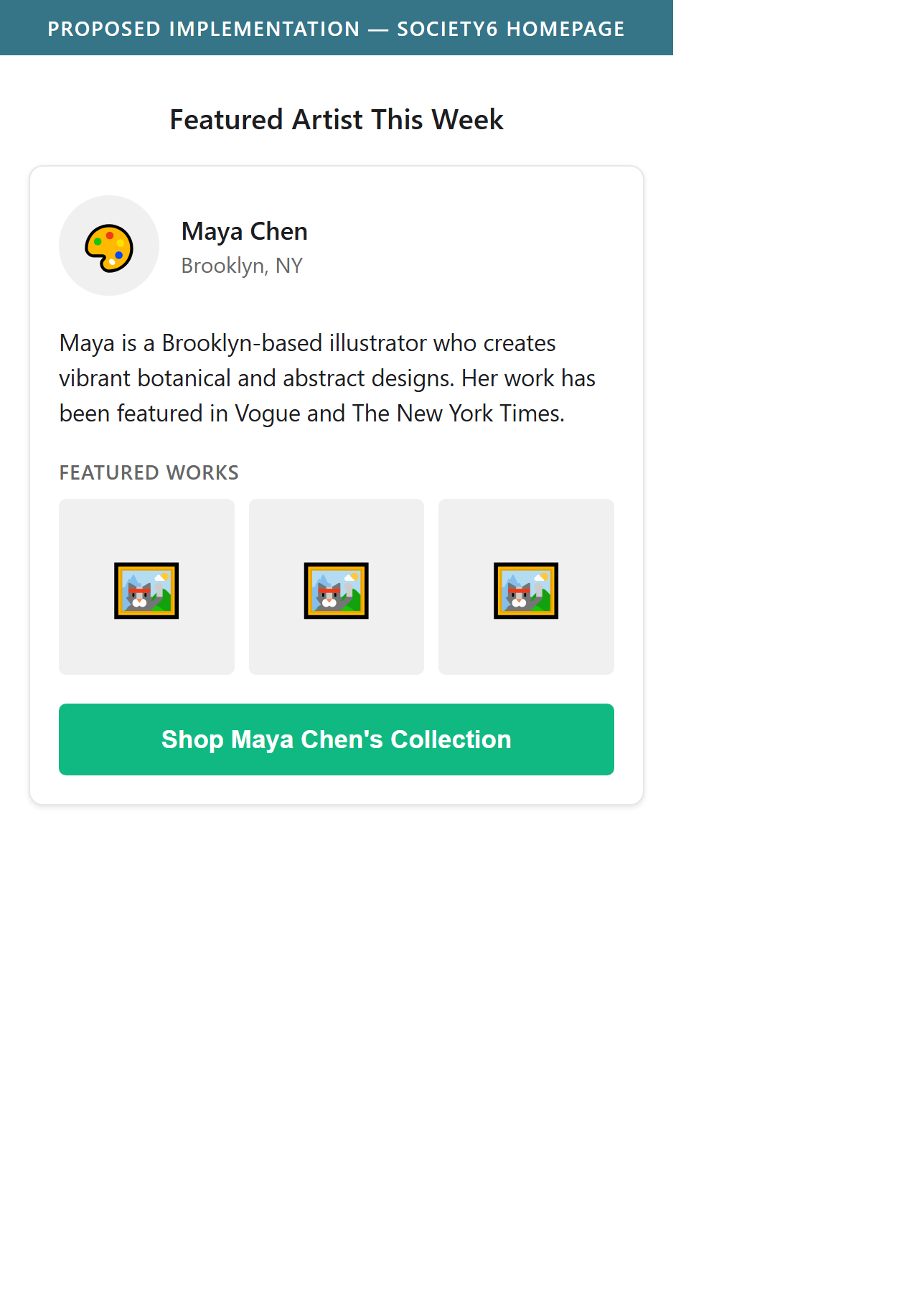
- A 'Featured Artist' section with photo, short bio, and 'Shop their collection' CTA would create an emotional connection unavailable on commodity competitors
- Artist spotlights also function as fresh, rotating content that improves return-visit engagement and newsletter fodder
- This is a zero-cost differentiation lever — Society6 already has artist relationships; surfacing them on the homepage requires only a content module, not a new feature
- Add a 'Featured Artist This Week' section mid-homepage: artist portrait, 2-sentence bio, 3 product thumbnails from their collection, and a 'Shop [Artist Name]' CTA
- Create a rotating editorial slot ('Artist of the Month') that doubles as PR content and social proof for attracting new artists to the platform
- Link artist cards to full artist profile pages to deepen engagement and increase pages-per-session for high-intent visitors
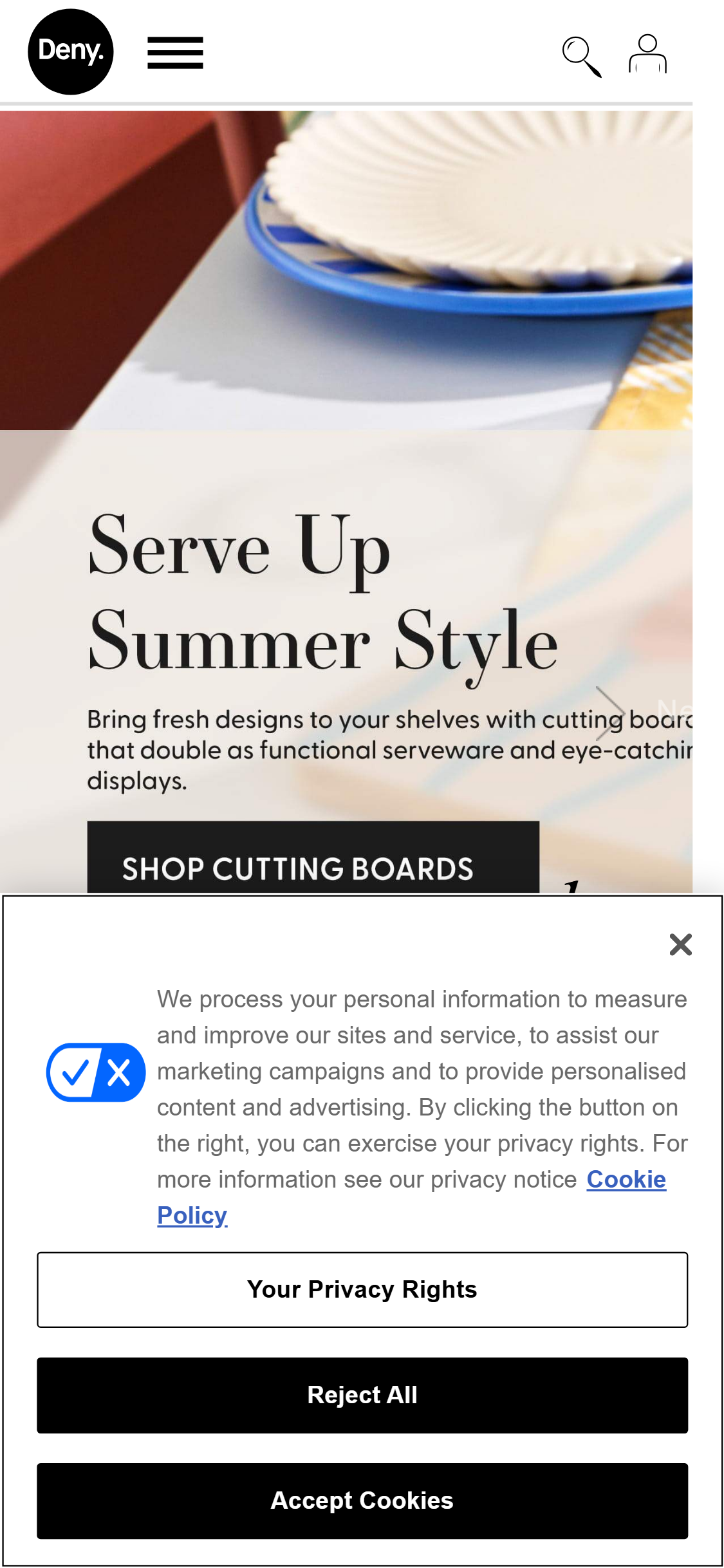
- The desktop header shows only logo, search icon, wishlist, and cart — all product category navigation is hidden inside a hamburger/drawer menu
- Deny Designs and most top home-decor stores display a horizontal category nav bar (Wall Art | Tapestries | Pillows | Shower Curtains | Mugs) directly in the header
- Browse-intent visitors who land on the homepage without a specific product in mind must take an extra click to discover product categories
- Hidden navigation is correlated with higher bounce rates for new visitors unfamiliar with a store's product range
- Search bar is icon-only with no visible search field — adding friction for keyword-driven discovery
- Add a horizontal secondary nav bar below the main header listing 6–8 top product categories with text labels, visible on desktop without any click required
- Make the search bar an always-visible input field (or expand-on-focus field) rather than an icon-only trigger to reduce search friction
- Ensure the header is sticky on scroll so category shortcuts and cart remain accessible throughout the browsing session
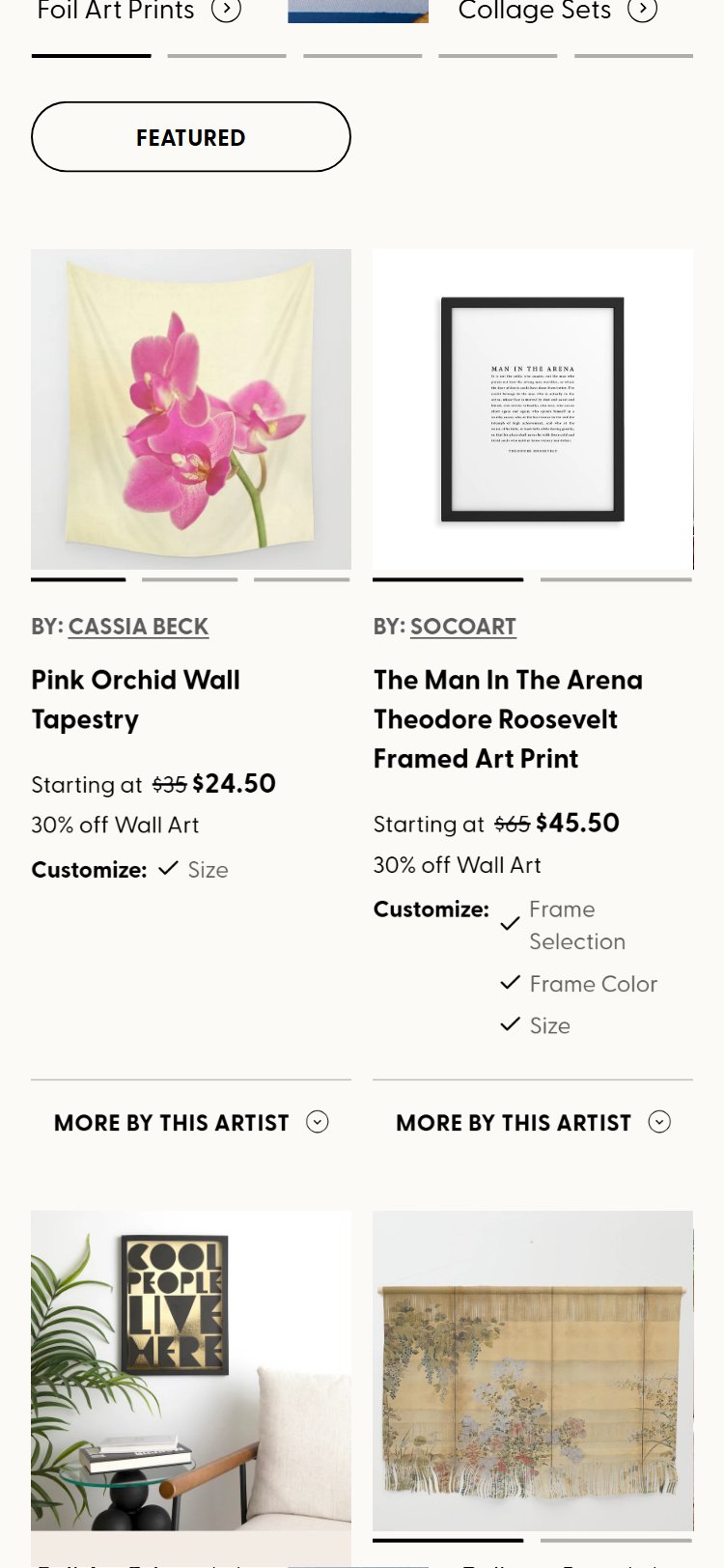
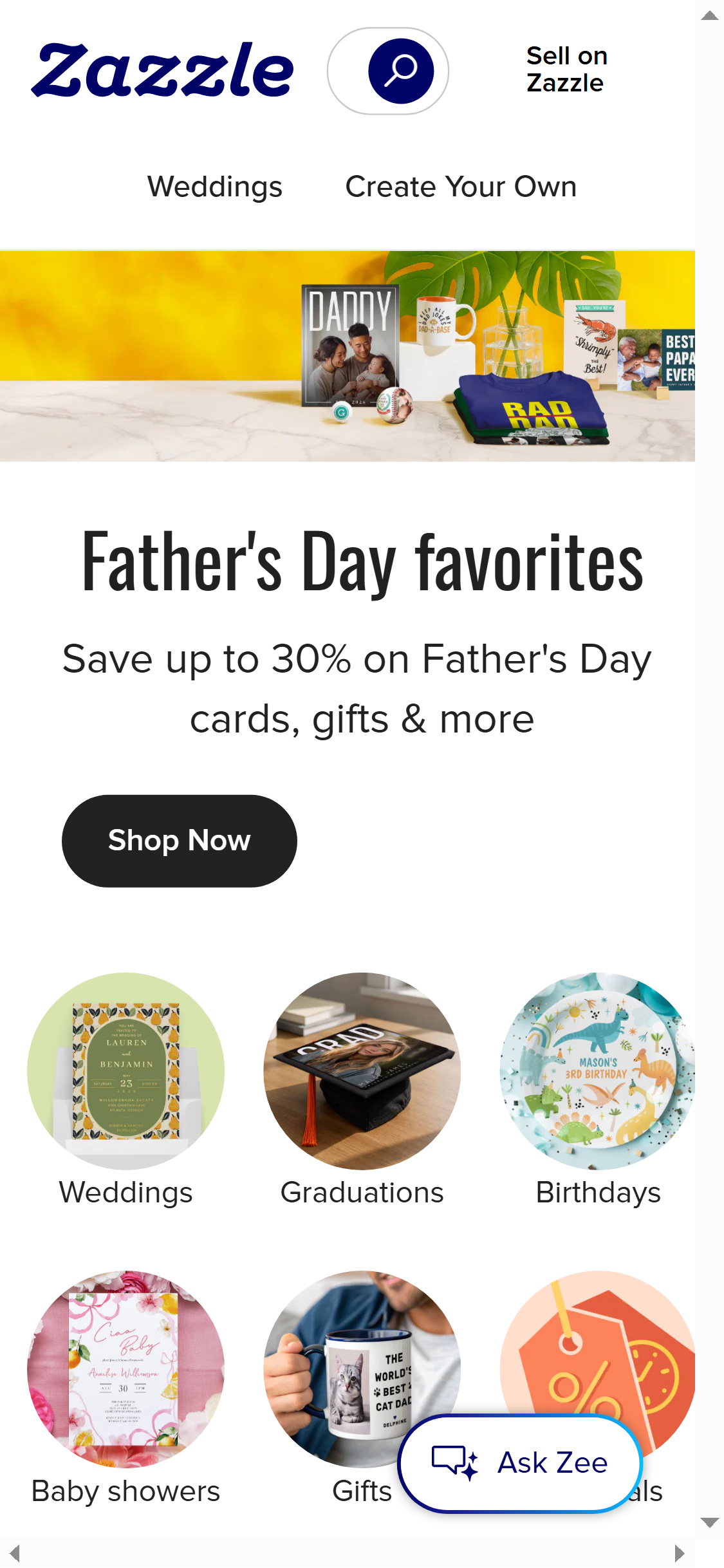
- Every product card on Society6's collection pages shows only product image, title, and price range — star ratings are completely absent
- Zazzle displays aggregate star ratings (e.g., ★★★★☆ 4.2 | 847 reviews) directly on collection tiles, enabling social proof before a visitor even clicks through
- Shoppers comparing multiple products in a category use ratings as the primary shortcut for quality assessment — their absence forces lower-quality decision-making
- Society6 has a reviews platform (Bazaarvoice or equivalent) loaded in the tech stack, suggesting reviews data exists but is not surfaced on collection pages
- Without visible ratings, high-review products have no advantage in browse discovery, wasting accumulated social proof
- Surface aggregate star rating and review count on each collection tile below the price — even a single star row with count (e.g., ★4.3 · 212) significantly lifts click-through
- For products with fewer than 5 reviews, display a 'Be the first to review' or 'New' badge rather than leaving the space blank
- Prioritize rendering ratings above the fold on collection cards — load them eagerly or via skeleton placeholders to avoid layout shift
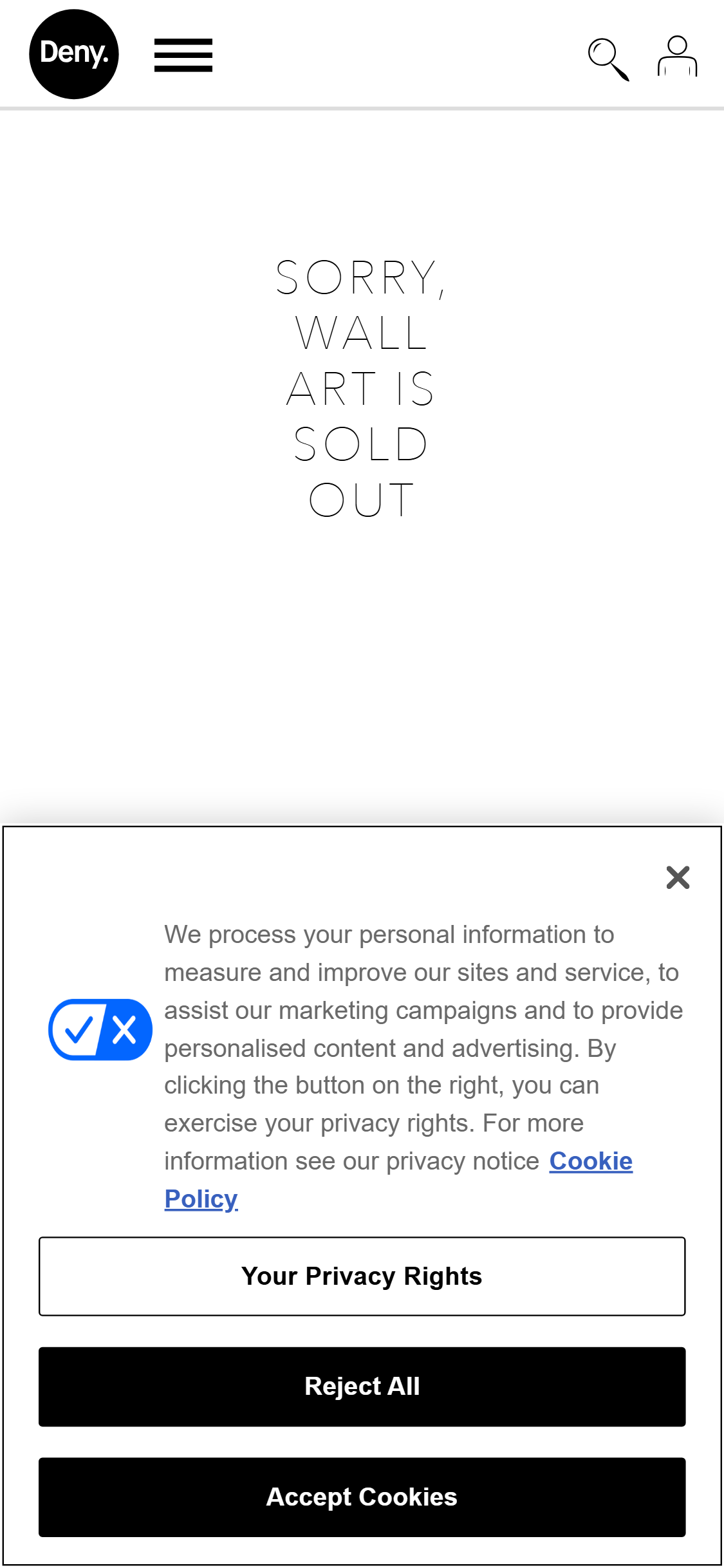
- Society6 product cards show a single default product image with no color or style swatches, meaning shoppers cannot see alternate colorways without navigating to the PDP
- Deny Designs shows 3–5 color swatches on collection tiles; hovering a swatch updates the tile image in real time, significantly speeding up browse decisions
- For art prints and home decor where color matching to a room is the primary decision driver, not showing colorways on the tile is a significant friction point
- The lack of swatches forces extra round-trips to PDPs for comparison shopping, increasing the chance of abandonment before purchase intent is formed
- Many Society6 products exist in multiple colorways (e.g., t-shirts, phone cases, mugs) that are invisible to collection-page browsers
- Add inline color/style swatches (up to 5, with '+X more' overflow) to product tiles on collection and search result pages
- Implement hover-to-preview: mousing over a swatch updates the tile image without a page navigation, keeping the shopper in browse flow
- For wall art with multiple framing options (canvas, framed, poster), show framing style chips on the tile to differentiate options that affect price range
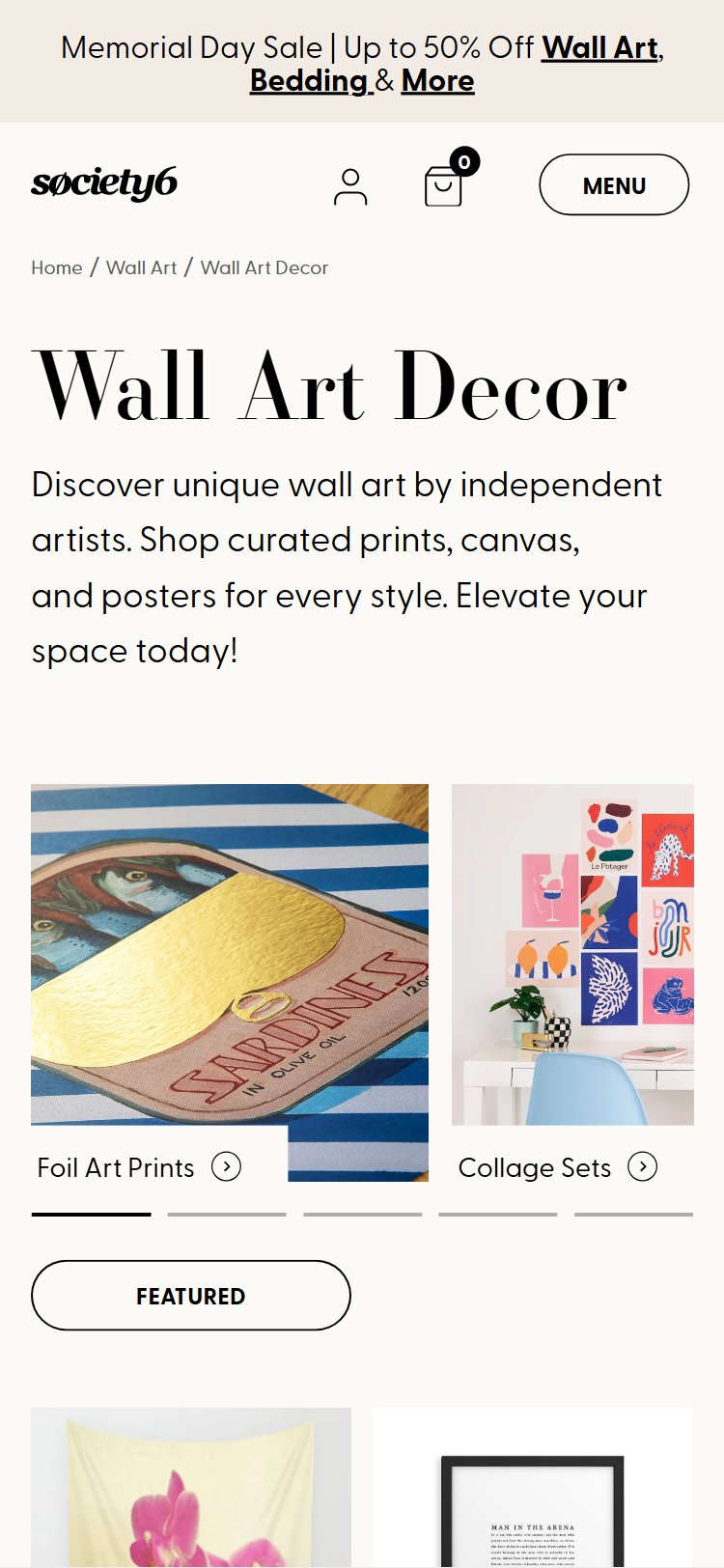
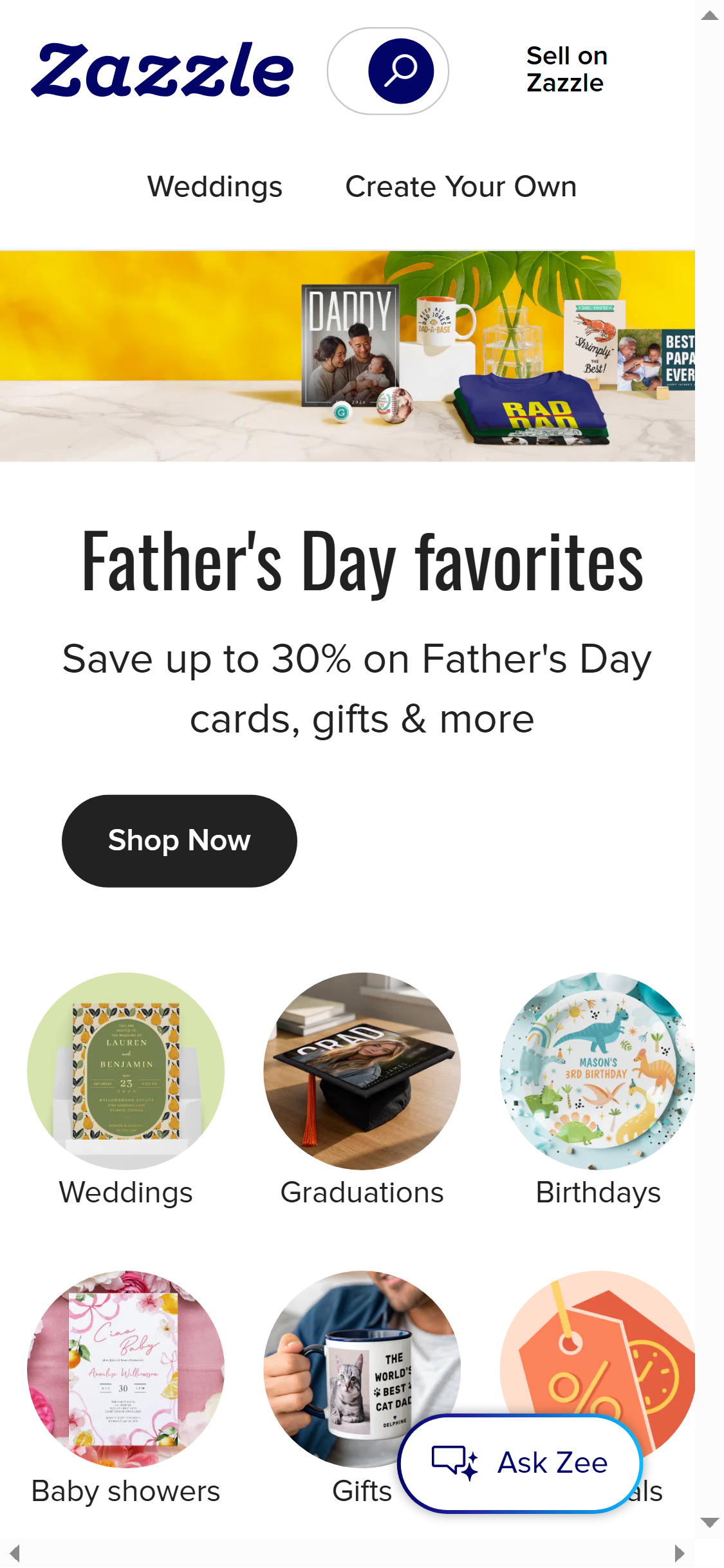
- Society6's collection page has no left-side filter sidebar — all filtering requires clicking a toggle button to reveal options in a modal/drawer
- Zazzle displays a persistent left-rail filter sidebar with checkboxes for Style, Color, Price, and Product Type that remains visible alongside the product grid
- A persistent sidebar allows simultaneous browsing and filtering without losing visual context of the product grid, which significantly improves session depth
- Toggle-hidden filters are particularly damaging on desktop where there is sufficient horizontal space to display filters and the grid side by side
- Key filter dimensions relevant to Society6 (artist, art style, color palette, product type) are not accessible at a glance
- Add a persistent left-rail filter sidebar on desktop collection pages (min-width 1024px) with collapsed accordion sections for Price, Style, Color, Product Type, and Artist
- Retain the toggle-drawer approach for mobile but ensure it opens as a full-screen overlay with clear 'Apply' and 'Reset' actions
- Show active filter chips above the product grid so shoppers can see and remove applied filters without reopening the filter panel
- Society6's product grid shows no contextual labels — every card looks identical in terms of metadata, providing no signal about popularity or novelty
- Zazzle displays prominent 'Save 15%' promo/deal badges on collection tiles, directing shopper attention to high-value products — a proven lever for guiding click-through to high-converting items
- Bestseller and Trending badges leverage herd behavior — they tell hesitant shoppers 'others have validated this purchase', lowering decision anxiety
- 'New' badges are especially valuable on Society6 where the catalog is large and returning visitors benefit from clear freshness indicators
- Badges require only data Society6 already holds (sales velocity, recency of listing) — implementation cost is low relative to conversion impact
- Add 'Bestseller' badges to the top 5–10% of products by sales velocity within each category, capped to avoid badge inflation
- Introduce a 'New This Week' badge on products listed within the last 7 days to reward return visitors who browse for fresh content
- Test a 'Trending' badge driven by 24–48h view or saves velocity to create real-time urgency without false scarcity claims
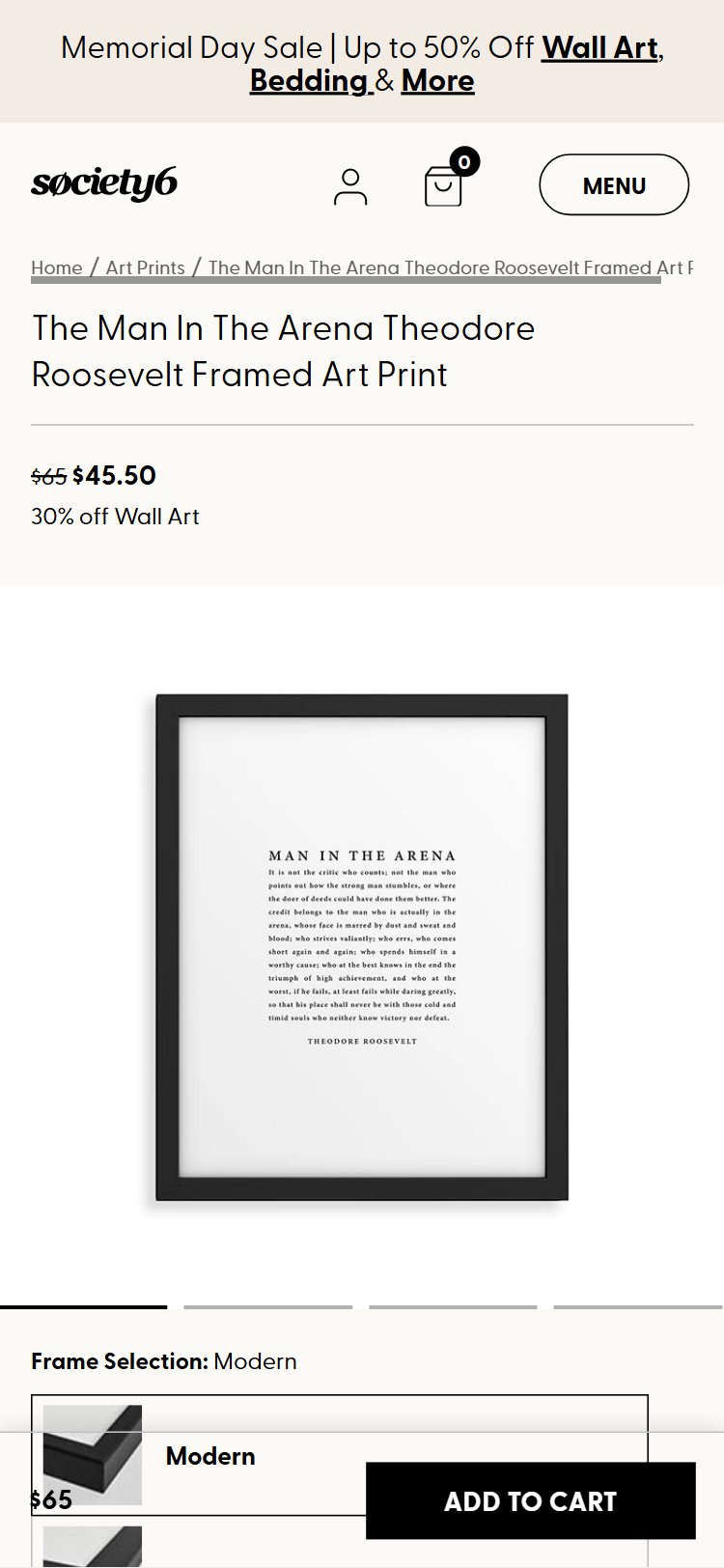
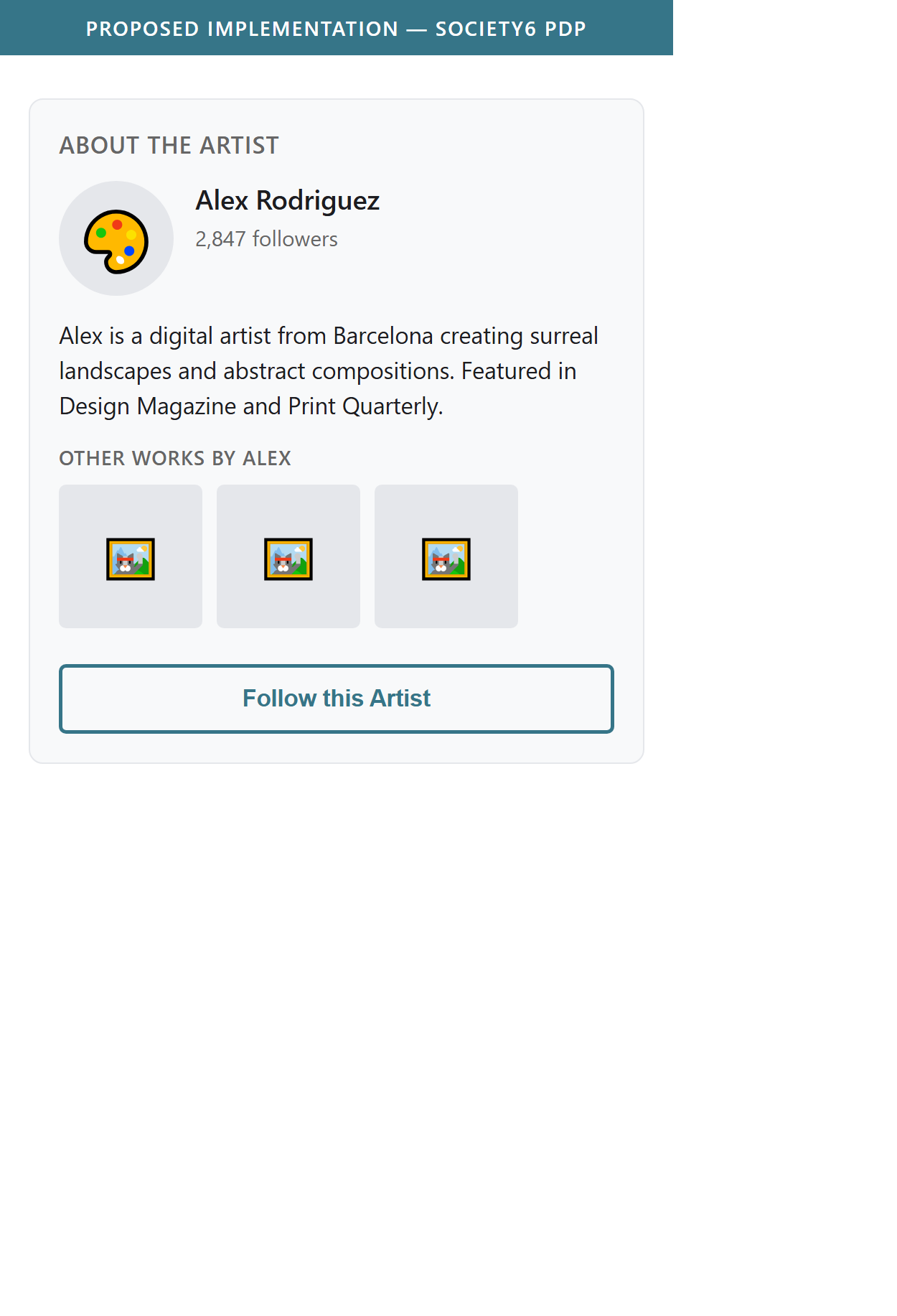
- The artist attribution on Society6's PDP is a small hyperlinked text name — the artist photo, bio, and collection preview are completely absent from the above-fold experience
- Shoppers motivated by supporting independent creators (a growing segment via creator-economy trends) receive no narrative hook to build an emotional connection with the artist
- An artist bio module ('This piece was created by [Name], a Brooklyn-based illustrator inspired by...') would create a story that competitors like Redbubble and Zazzle cannot replicate
- The absence of artist context means Society6's PDPs feel functionally identical to any print-on-demand site, eroding the brand's positioning premium
- Artist profile pages exist on Society6 but are not surfaced contextually on the PDP, creating a missed upsell path to the artist's broader catalog
- Add an 'About the Artist' module on every PDP: artist avatar, 2–3 sentence bio, follower count (if applicable), and a 3-product carousel from their collection
- Position the artist module immediately below the ATC button — this placement ties creator identity to the purchase action at the highest-intent moment
- Show a 'Follow this Artist' CTA that feeds into a wishlist/notification system, creating a retention loop for collector-type customers
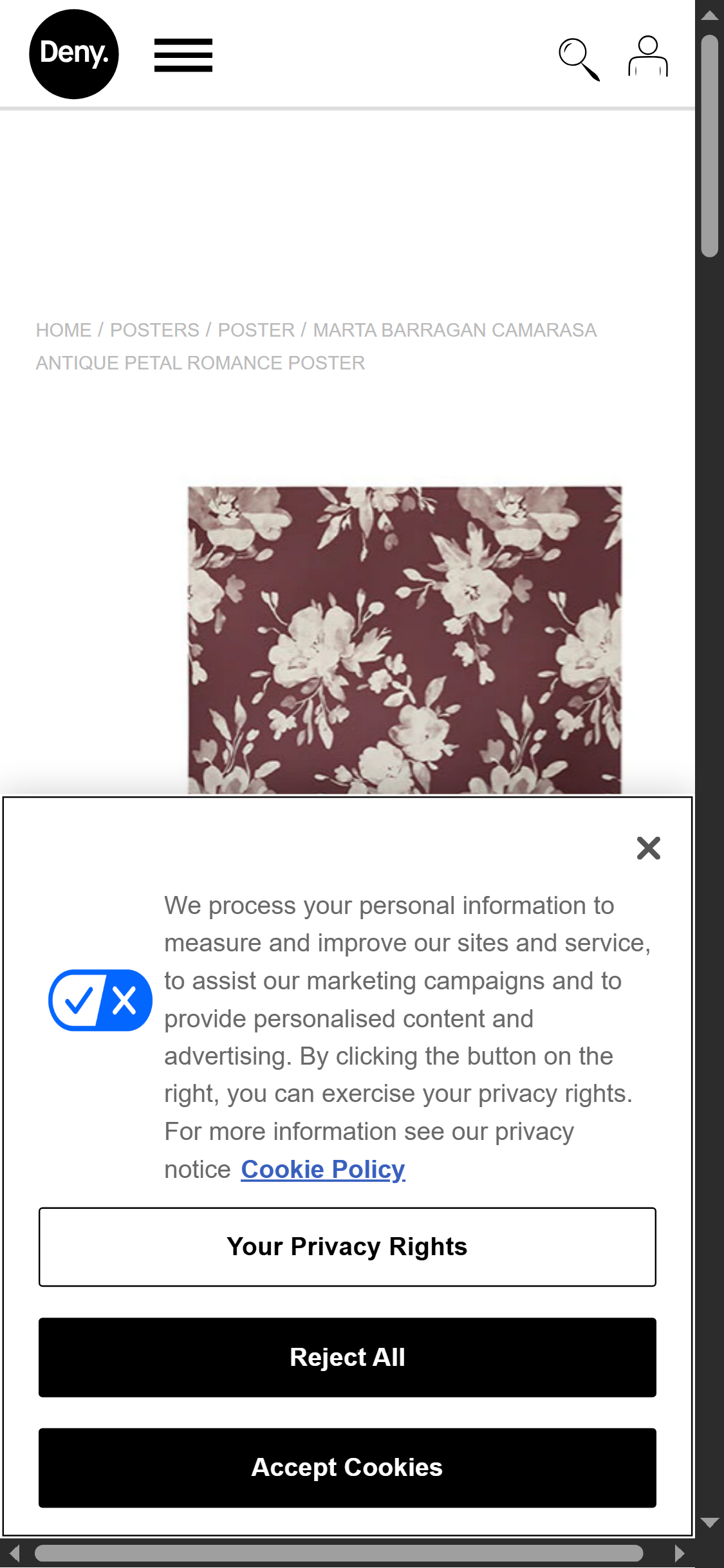
- Society6's PDP image gallery shows only the print/product on a plain background with no room scene, lifestyle context image, or wall mockup
- Deny Designs includes room-context lifestyle photography for all wall art PDPs — images showing the print hanging in a styled living room, bedroom, or office
- For a high-consideration, visually-driven product like wall art, the inability to visualize scale and color fit in a real room is the #1 purchase blocker
- Room visualization tools (static room scenes or AR try-on via third-party) have been shown to reduce return rates by 15–30% and lift conversion by 10–20% in home decor
- AR tools (View in Room) are now table-stakes expectations for premium art retailers, set by Wayfair and IKEA — their absence positions Society6 below consumer expectation
- Add at least 2 lifestyle/room-context images per wall art PDP — even static styled room photographs significantly reduce purchase hesitation
- Integrate a 'View in Room' AR button (via Threekit, Auglio, or similar) that uses the device camera to overlay the print on the shopper's actual wall at scale
- Allow shoppers to toggle between 'Product view' and 'Room view' in the image gallery without leaving the PDP
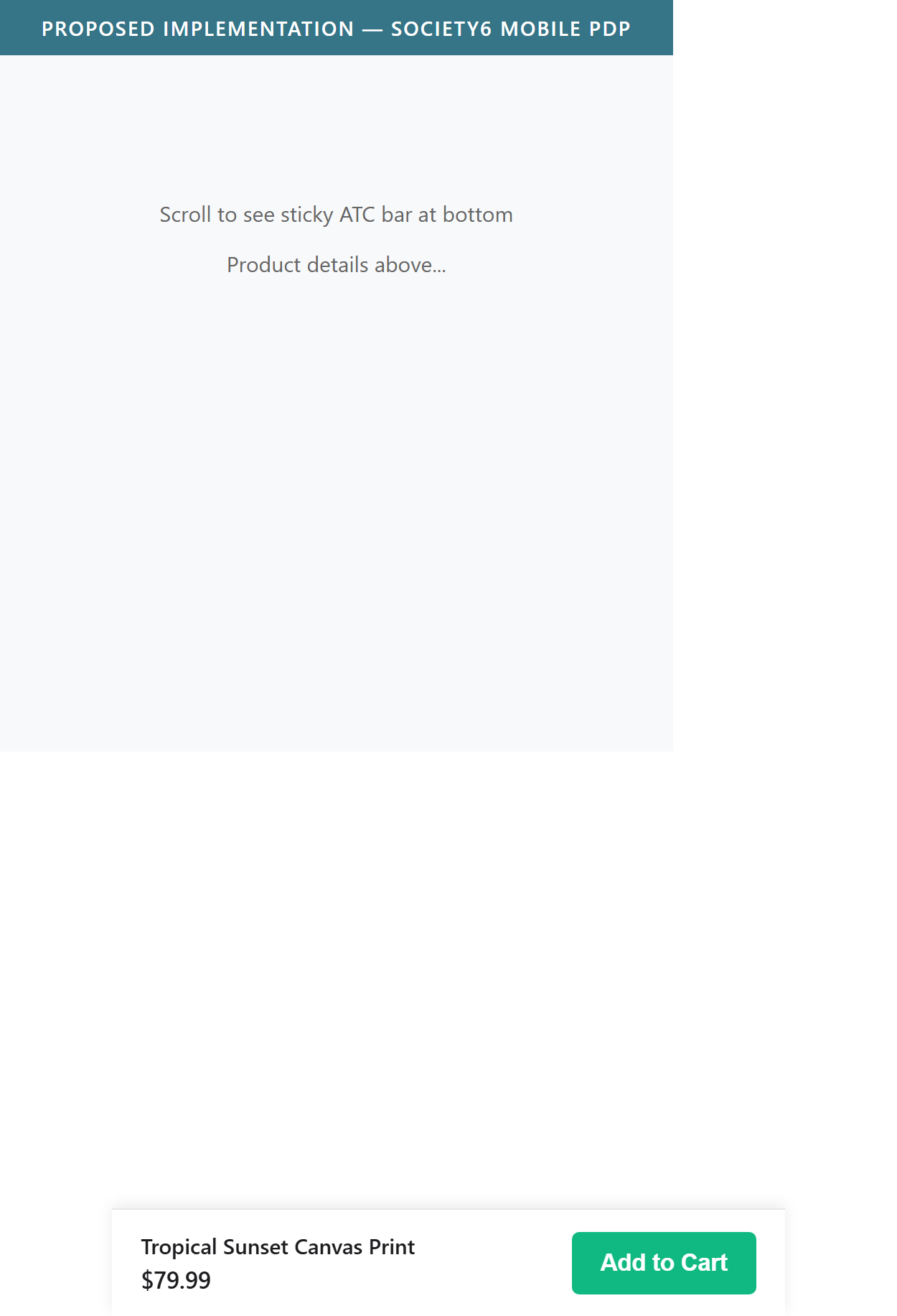
- On mobile, Society6's 'Add to Cart' button is positioned within the product configuration section and does not persist as a sticky footer when the user scrolls down to read reviews or view more images
- Displate and most top-performing mobile PDPs maintain a sticky bottom bar with product name, price, and ATC button that follows the user throughout the page
- Mobile shoppers who scroll to read reviews, check descriptions, or view the full image gallery must scroll back to the top to add to cart — adding friction at the highest-intent moment
- Industry benchmarks show sticky ATC on mobile improves mobile conversion rate by 8–15% with negligible UX downsides when implemented with a slim, unobtrusive bar
- With mobile commerce exceeding 60% of Society6's likely traffic mix (art/lifestyle demographic skews mobile-heavy), this gap has outsized revenue impact
- Implement a sticky bottom ATC bar on mobile PDP: show product name (truncated), current price, and an 'Add to Cart' button — triggers when the inline ATC button scrolls out of viewport
- Include the selected variant (size, product type) in the sticky bar or open the configuration selector on tap to prevent accidental ATC without size selection
- Validate the sticky bar against Society6's mobile browser support matrix — ensure it does not conflict with iOS Safari's bottom nav bar or Android gesture navigation
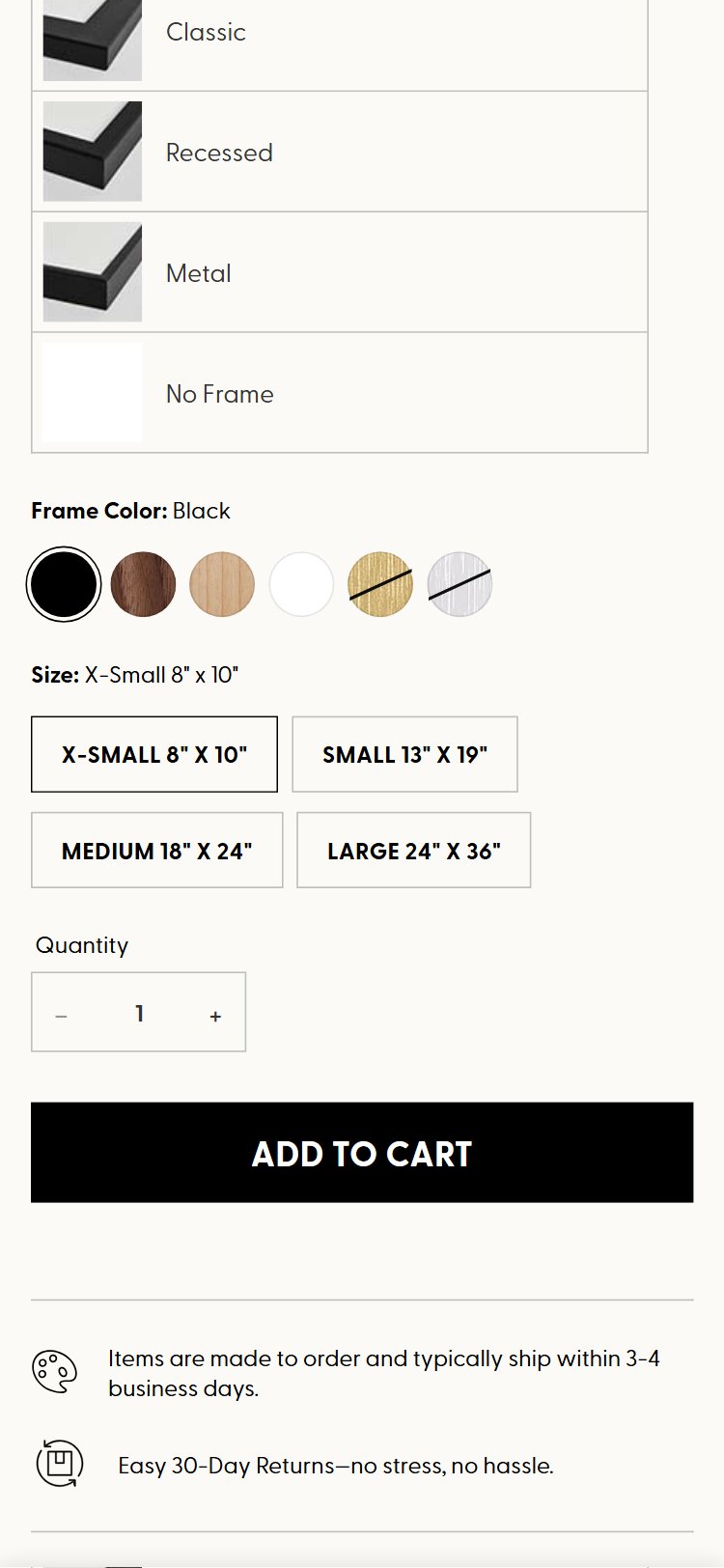
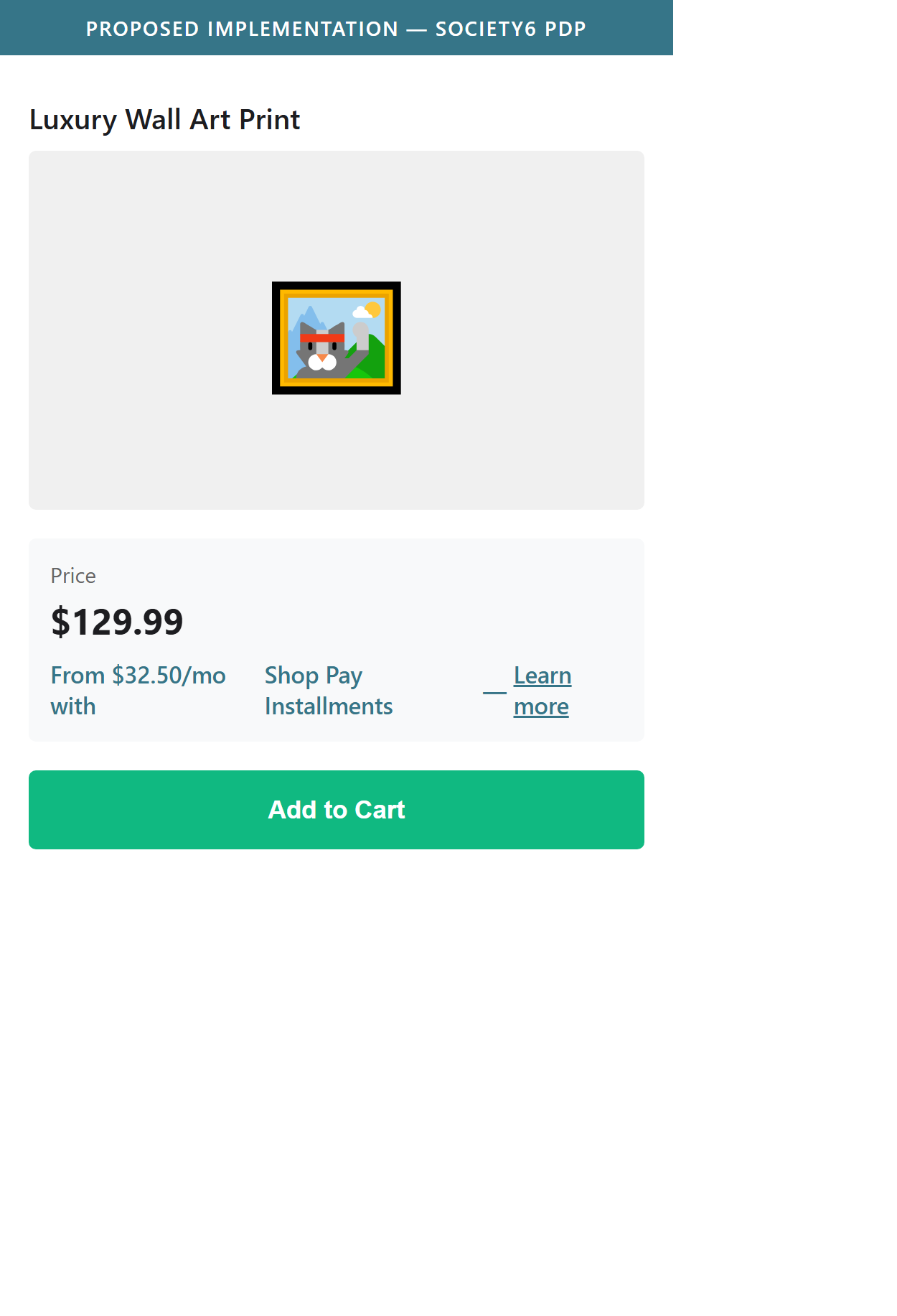
- Society6 displays Shop Pay Installments messaging only in the cart, but the BNPL option is not shown on the PDP near the price or ATC button
- Zazzle shows 'As low as $X/mo with Affirm' directly below the product price on the PDP, reframing a $79 print as a $13/month purchase before the shopper even adds to cart
- BNPL messaging on the PDP is most effective for reducing price-objection abandonment — by the time a shopper reaches the cart, they have already made the primary add-to-cart decision
- For Society6's higher-ticket items (large canvas prints, furniture, framed art) that can exceed $100–$200, not showing installment options on the PDP leaves a significant conversion lever unused
- Shop Pay Installments supports PDP badge rendering via a standard widget — this is a configuration/placement change, not a new integration
- Add a Shop Pay Installments badge line directly below the product price on the PDP: 'From $X/mo with Shop Pay Installments — Learn more'
- Ensure the BNPL widget dynamically updates when the selected size/variant changes price, so the installment amount always reflects the current selection
- Consider adding a secondary BNPL option (Affirm or Klarna) to reach shoppers who do not have a Shop Pay account, particularly for orders above $50
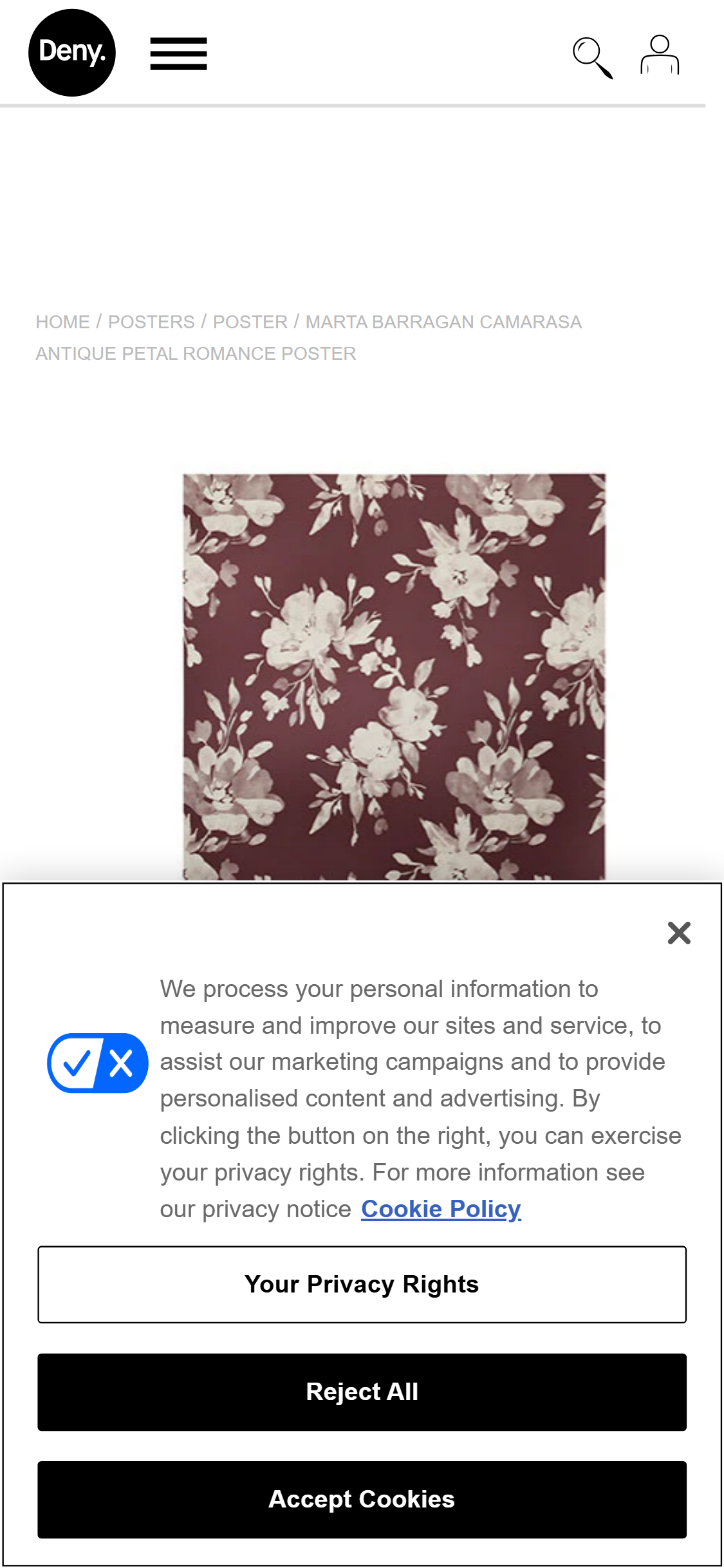
- Society6's PDP shows no estimated delivery date or shipping timeline near the price, product configuration, or ATC button
- Deny Designs shows 'Order by [date] for delivery by [date]' directly below the ATC button, leveraging urgency and purchase-timing confidence simultaneously
- For print-on-demand products where production time adds to shipping time, delivery uncertainty is a well-documented conversion barrier — especially for gift purchases
- Society6's products are made-to-order, meaning delivery windows (typically 7–14 days) are longer than Amazon-trained shopper expectations — communicating this proactively manages expectations and prevents post-purchase disappointment
- Showing 'Get it by [date] if ordered today' also creates urgency without any false scarcity tactics
- Add a dynamic delivery estimate module below the ATC button: 'Order today and receive by [date range]' — calculated from current production + standard shipping lead times
- Show differentiated delivery windows for Standard vs Express shipping to upsell expedited shipping for time-sensitive purchases
- For gift-season periods (Christmas, Valentine's Day, Mother's Day), add a 'Last order date for [holiday] delivery' countdown to create urgency without false scarcity
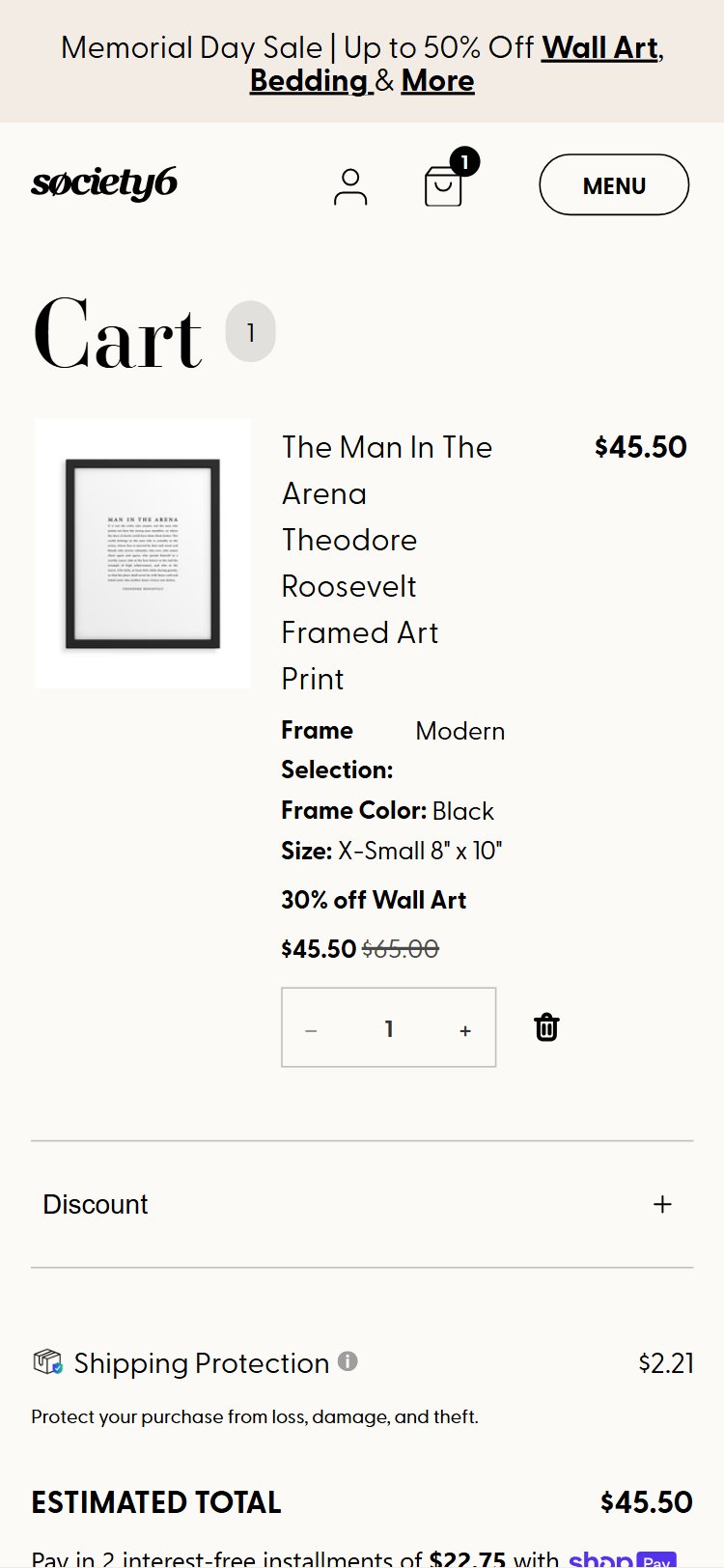
- Society6's cart auto-adds a 'Shipping Protection' line item ($2.21) without the shopper explicitly selecting it — removal requires an opt-out action
- This opt-out pattern is widely criticized as a dark pattern: it inflates the perceived cart total, erodes trust, and is disproportionately jarring for small-basket orders where $2.21 is a meaningful percentage
- Regulatory scrutiny of pre-checked upsells is increasing (FTC guidelines, EU DSA) — auto-added fees create legal and reputational risk
- Shoppers who notice the auto-add and remove it often abandon rather than complete checkout, as the discovery of hidden additions triggers a generalized distrust of the checkout flow
- The upsell itself (shipping protection) has value — but its current implementation converts a potential trust-builder into a trust-destroyer
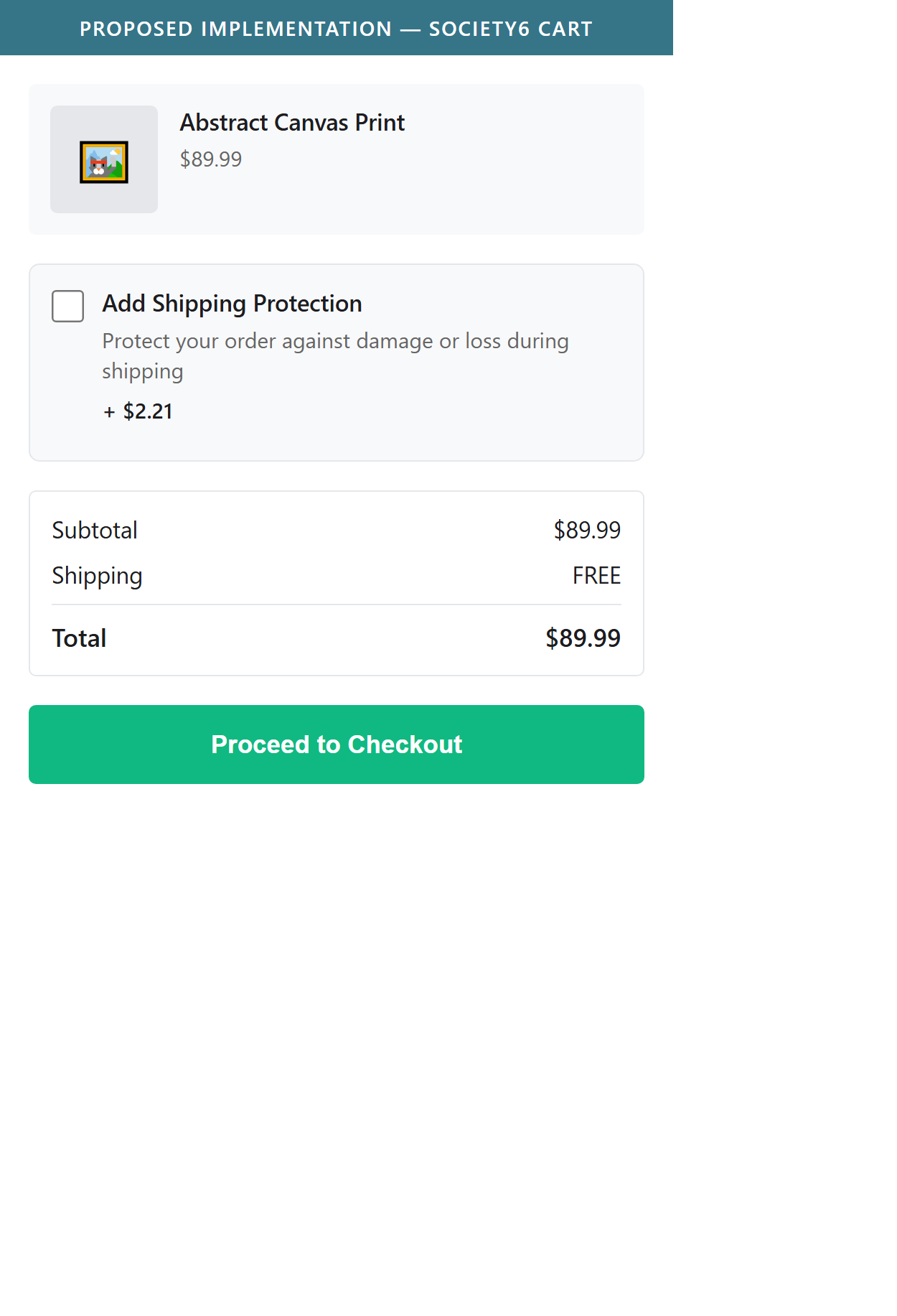
- Switch from opt-out to opt-in: present Shipping Protection as a checkbox upsell in the cart with a clear explanation of what it covers — unchecked by default
- Frame the opt-in with social proof if available: 'X% of shoppers add Shipping Protection' — this achieves comparable take rates without the dark-pattern backlash
- Alternatively, absorb the protection cost into a free shipping threshold to remove the friction entirely and improve NPS
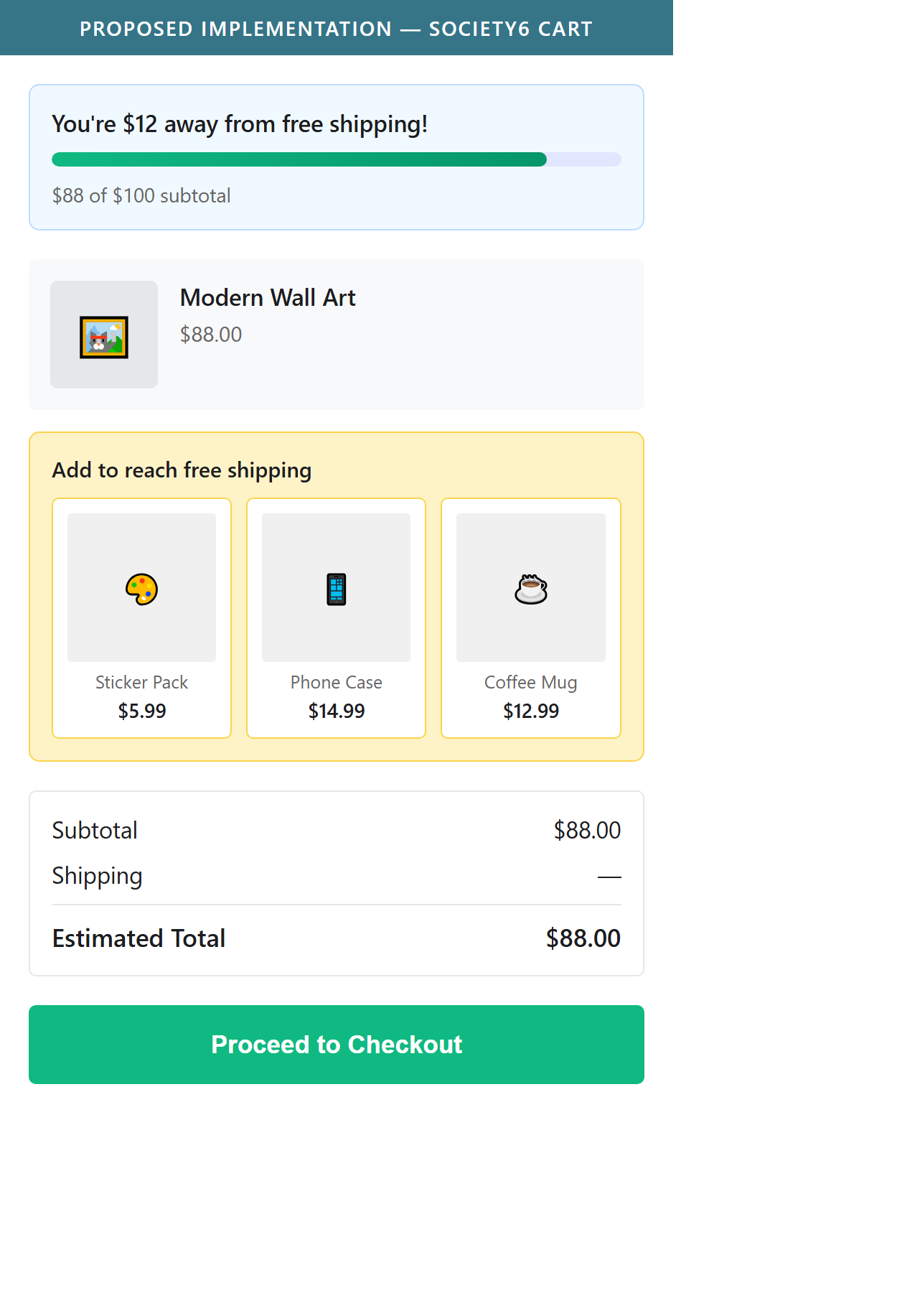
- Society6's cart page shows no free shipping progress indicator or messaging about a shipping cost threshold
- Zazzle's cart prominently displays 'You're $X away from free shipping' with a visual progress bar that fills as items are added
- Free shipping progress bars are one of the most consistently documented AOV-lift mechanisms in e-commerce — they encourage shoppers to add one more item rather than pay for shipping
- The cart is the highest-intent page in the funnel — shoppers who have already added items are primed to add more if given a concrete, low-friction incentive
- Society6 offers free shipping on qualifying orders but this offer is invisible to shoppers at the cart stage when it would have the most impact on buying behavior
- Add a free shipping progress bar at the top of the cart: 'You're $12 away from free shipping' with a dynamic fill bar that updates as cart contents change
- Below the progress bar, display a 'Recommended for you' row of 3–4 low-price items (e.g., stickers, phone cases, prints) that are easy add-ons to close the gap
- For carts already qualifying for free shipping, swap the bar to a confirmation: 'You've unlocked free shipping!' to reinforce the value and discourage item removal
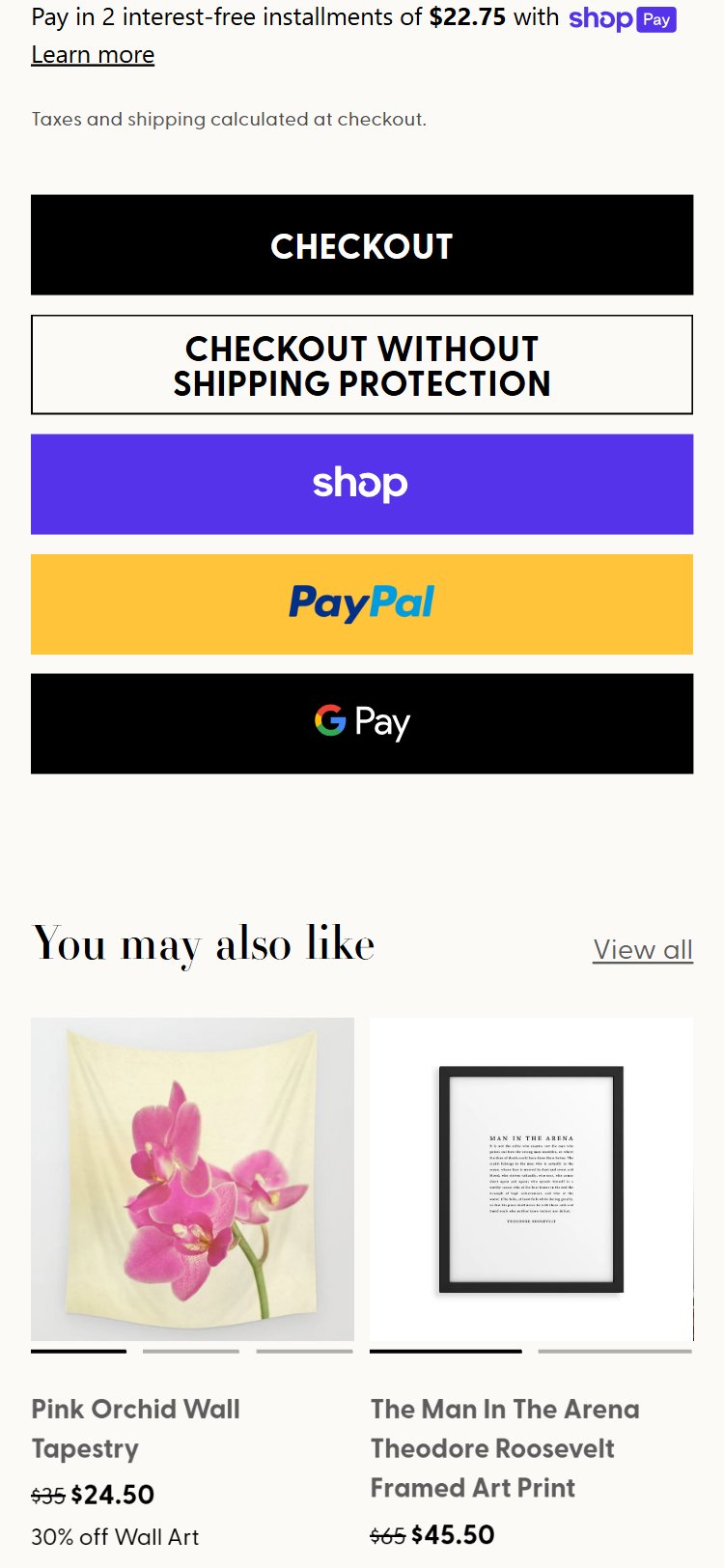
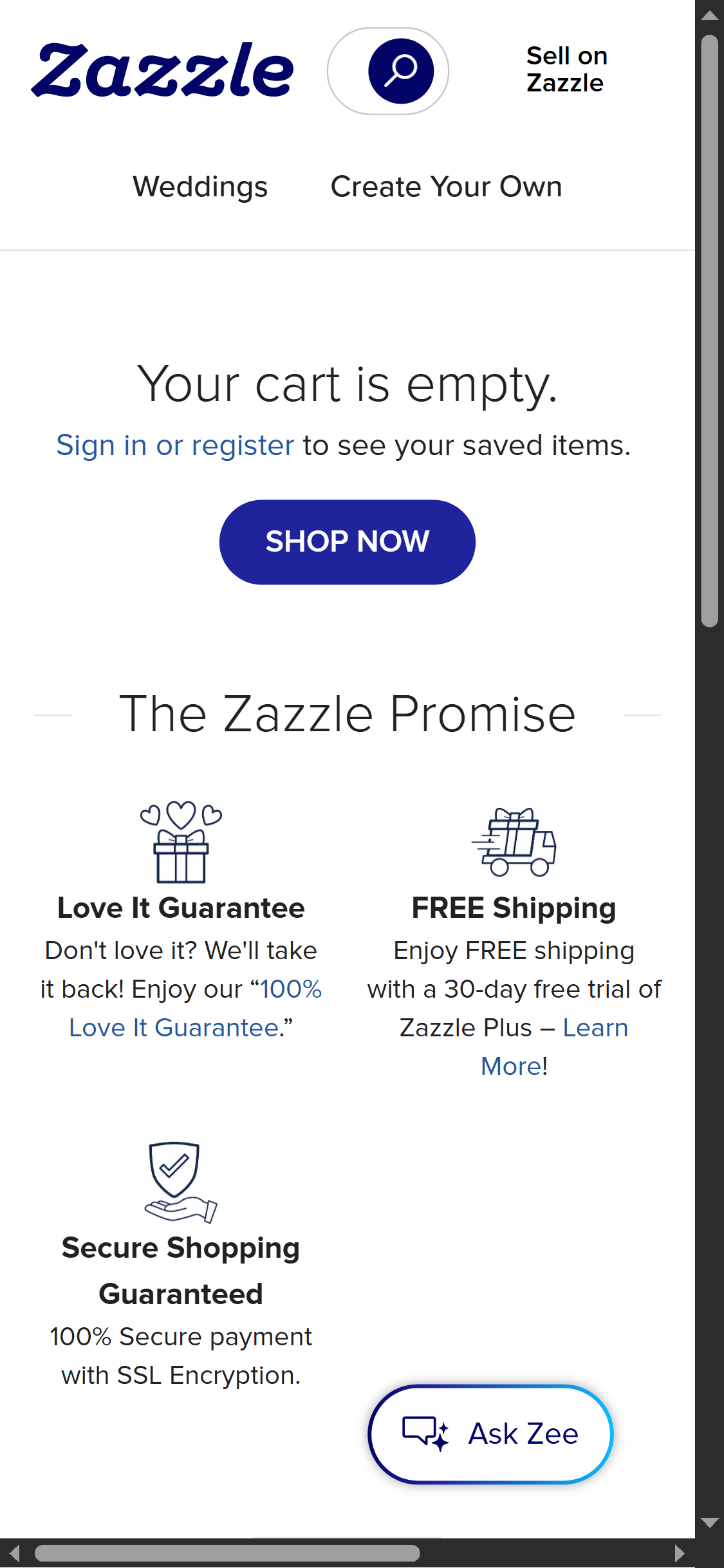
- The area immediately around Society6's checkout button contains no trust signals — no SSL badge, no 'Secure Checkout', no satisfaction guarantee, no return policy summary
- Displate displays trust badges (Secure Payment, SSL Certified, 14-Day Returns) as a horizontal row directly below their checkout button
- Cart abandonment studies consistently identify 'not trusting the site with payment info' and 'unclear return policy' as top-3 abandonment reasons — both are addressable with inline trust badges
- First-time Society6 visitors (a significant segment given artist-driven social traffic) have no prior purchase experience to rely on — trust badges compensate for lack of brand familiarity
- The badges require no integration — they are static HTML/CSS elements displaying accepted payment methods, SSL assurance, and a returns policy summary
- Add a trust badge strip directly below the checkout button: payment method logos (Visa, Mastercard, PayPal, Shop Pay), an SSL lock icon with 'Secure Checkout', and a '30-Day Return Policy' badge
- Include a one-line satisfaction guarantee near the checkout CTA: 'Not happy? We'll make it right — free returns on all orders' to address return-policy anxiety before it causes abandonment
- Test adding a 3-star review snippet or 'Trusted by X million customers' line near the checkout button to provide social-proof reassurance at the final conversion gate
Performance & Technology
Core Web Vitals, page-speed signals, and the technology stack powering Society6
Core Web Vitals
Technology Stack
Performance & Technology Assessment
Mobile performance is needs work (47/100); desktop is needs work (57/100) on Custom (LG Commerce). Page-speed and Core Web Vitals are increasingly load-bearing for SEO and conversion in this category — addressing the weakest vital first is the single highest-leverage technical improvement available.
Confidential — Prepared for Society6 by Growisto | May 2026
Technology Ecosystem
Technology stack assessment — installed tools vs recommended additions for Custom (LG Commerce) stores
Present (8)
Missing (13)
App Stack Assessment
Society6's app ecosystem reflects a platform that has prioritized payment infrastructure (three express checkout options, BNPL in cart) and tracking over conversion optimization and browse experience tooling. The present integrations are solid but several are under-deployed: BNPL exists but is hidden from the PDP, and a reviews platform is loaded but its data does not appear on collection tiles — two high-ROI fixes that require configuration changes rather than new integrations. The missing stack is dominated by browse-experience and trust tools that are standard across competitors: room visualization (critical for wall art), sticky ATC (mobile), free shipping progress bar, and collection ratings. Because Society6 runs on a custom platform rather than Shopify, the solution path for each gap is an engineering sprint rather than an app install — making prioritization essential. The five critical-priority gaps (room viz, sticky ATC, shipping bar, announcement bar, collection ratings) collectively represent the highest conversion uplift potential relative to implementation effort and should be sequenced first.
Confidential — Prepared for Society6 by Growisto | May 2026